
A Celant workflow is a sequence of statuses we build around your process. Each status carries its own actions — the five families below — so a deal moves from intake to archived without anyone re-typing, chasing signatures, or standing at a printer.
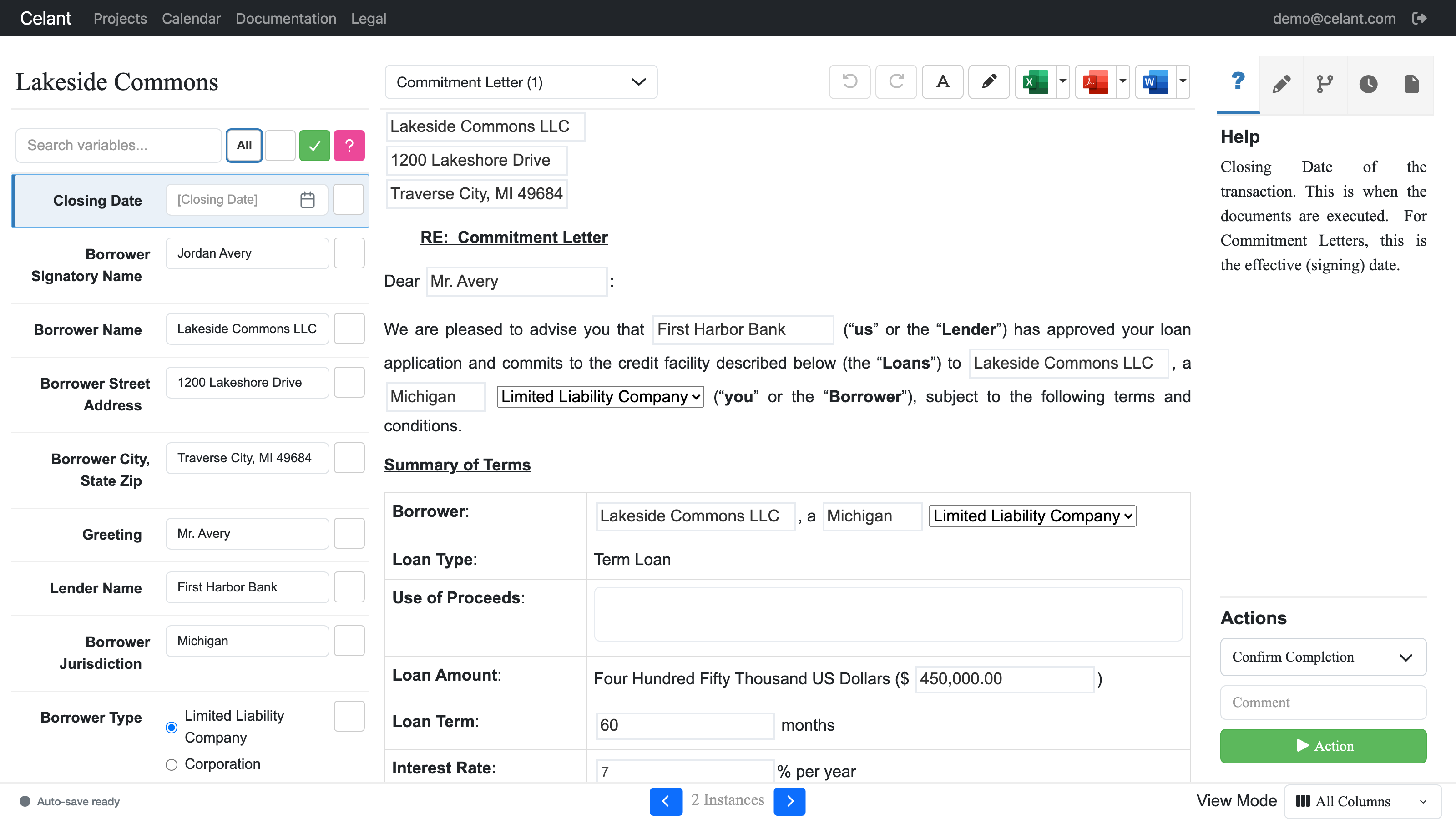
The Celant workspace — your interview answers on the left, the document assembling itself in the middle, contextual help on the right.
Pick the transaction type and answer a guided interview (you or your client can complete it). The whole document set adjusts: clauses, signature blocks, pronouns, even which documents are included, all exportable to Word, PDF, Excel or CSV.
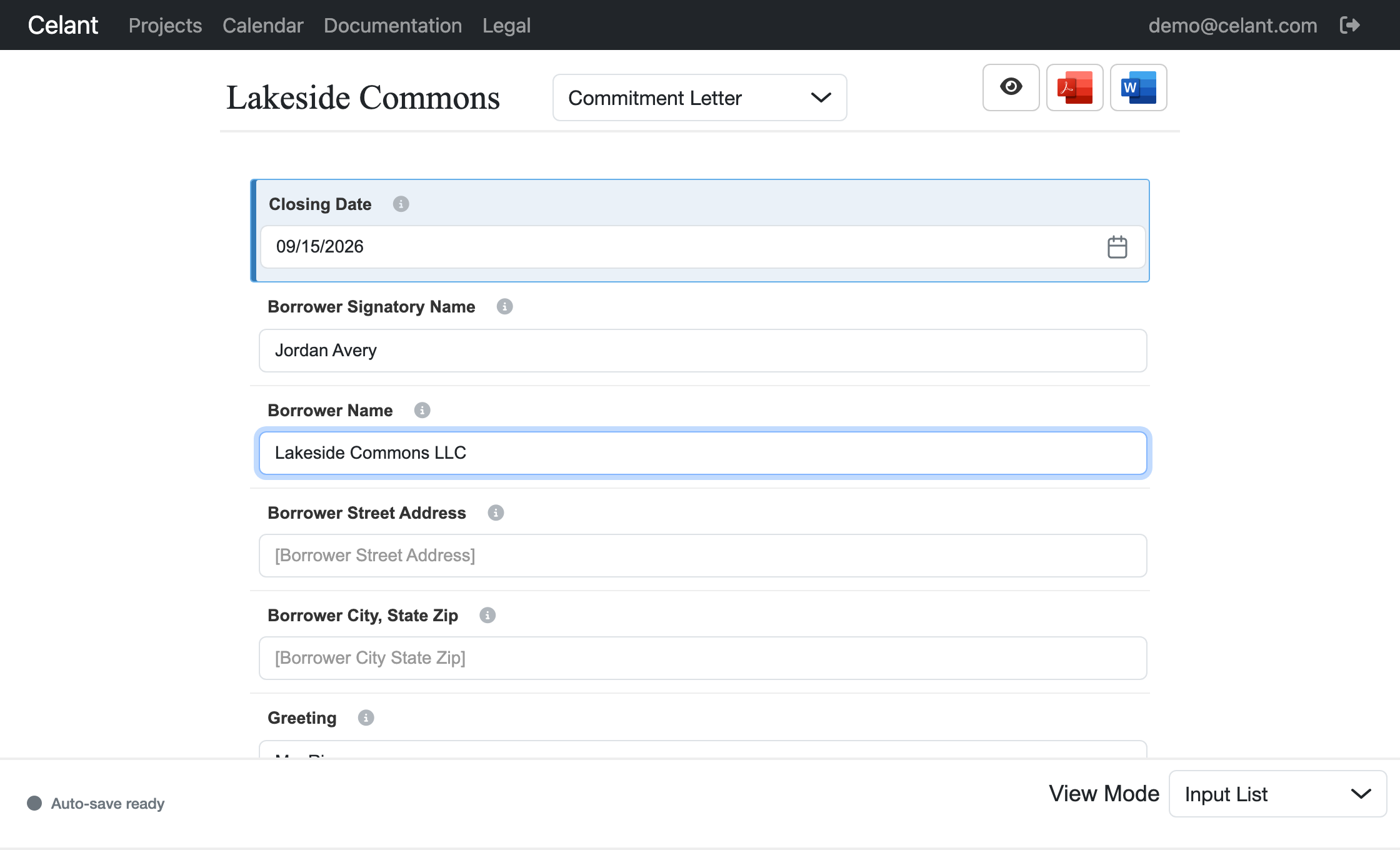
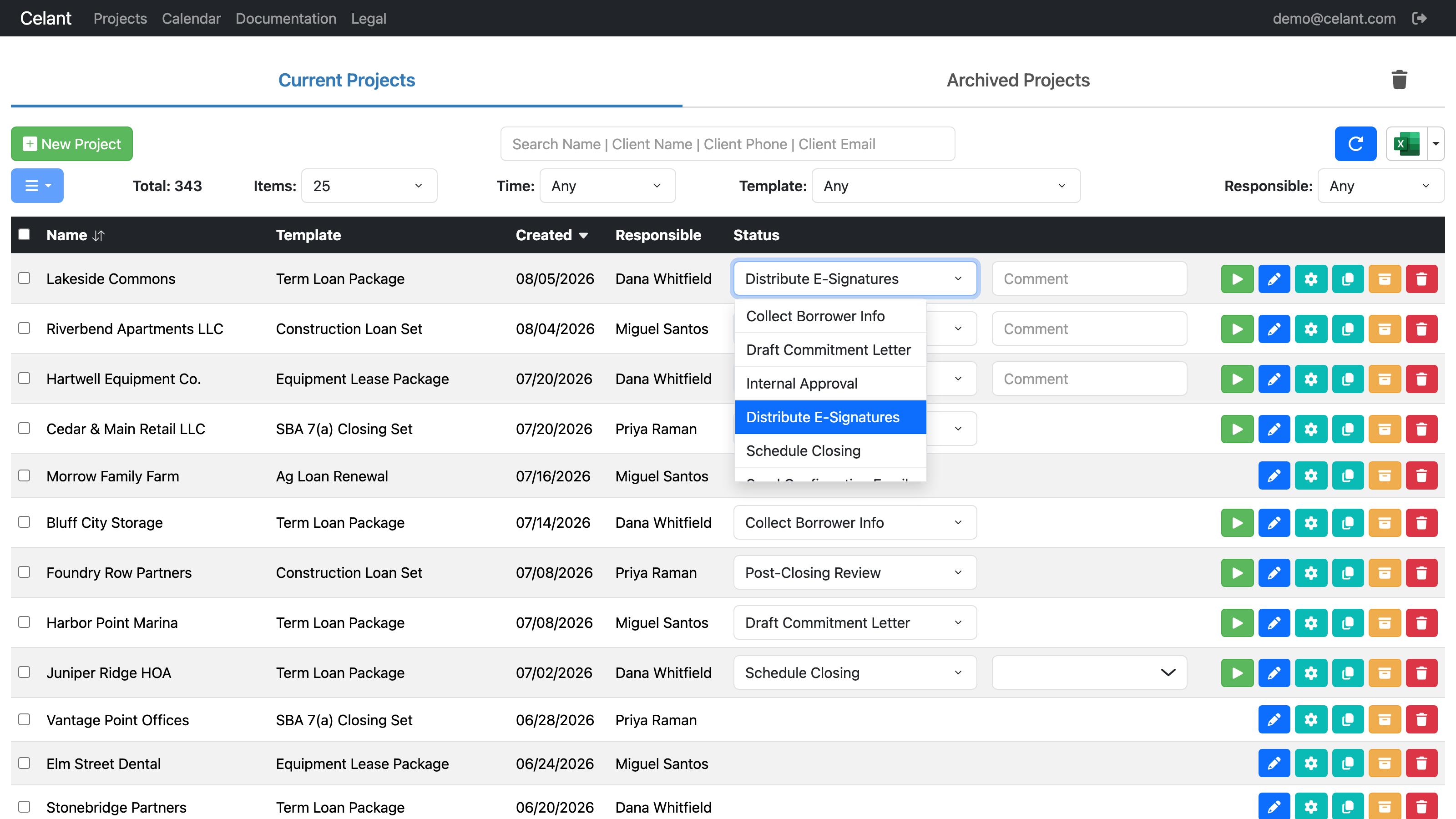
Each status can send templated emails with calendar invites, fire SMS notifications, schedule closing appointments, and keep reminding — automatically — until the deal moves forward. Your team sees status at a glance instead of working the phones.
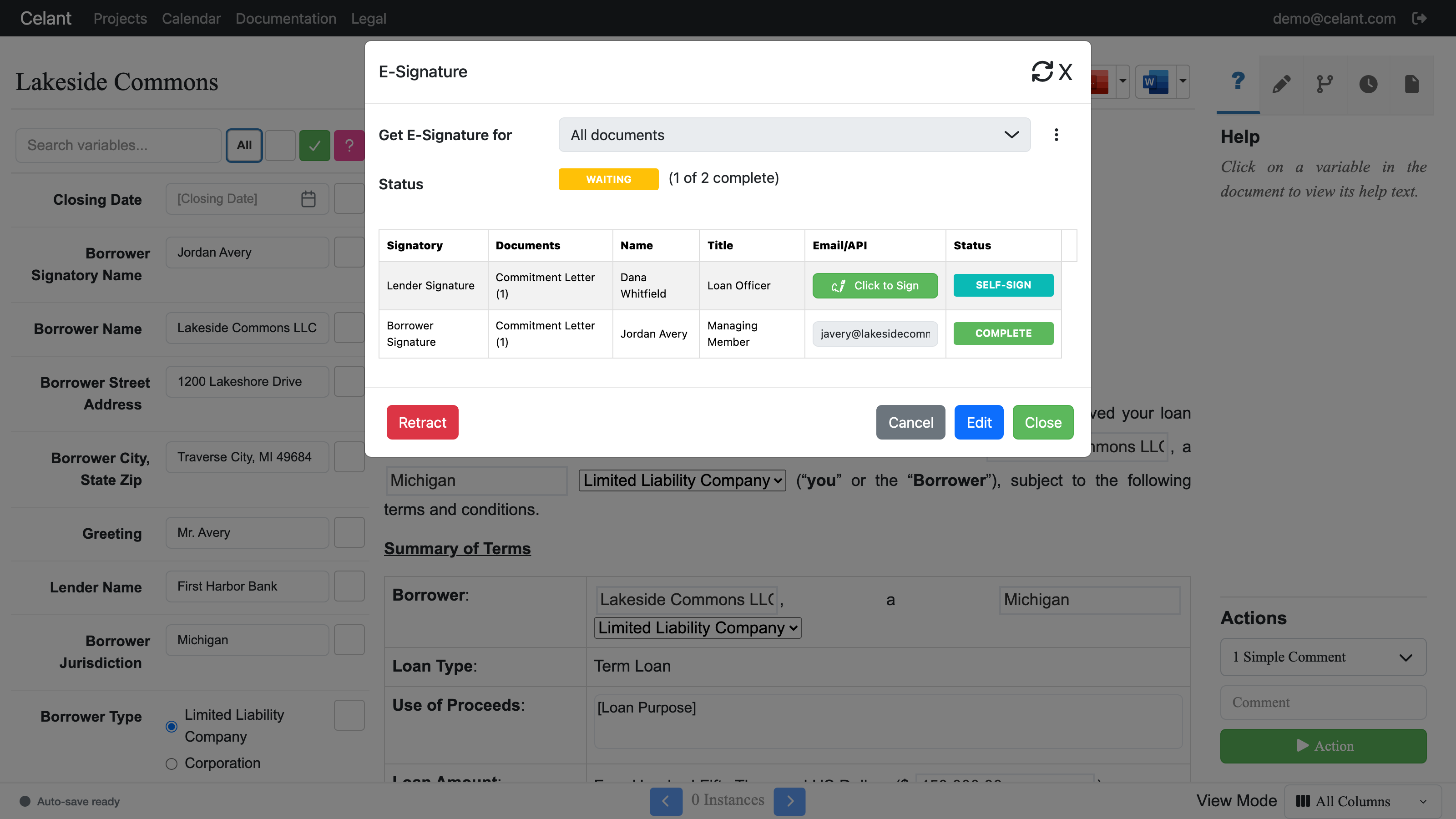
When documents are ready, the workflow distributes them for electronic signature — borrower, guarantors, co-signers. Because Celant assembled the documents, every signature block is already mapped to its signer: no dragging signature boxes onto a PDF, no field setup. People outside your organization get secure guest access; no account required.
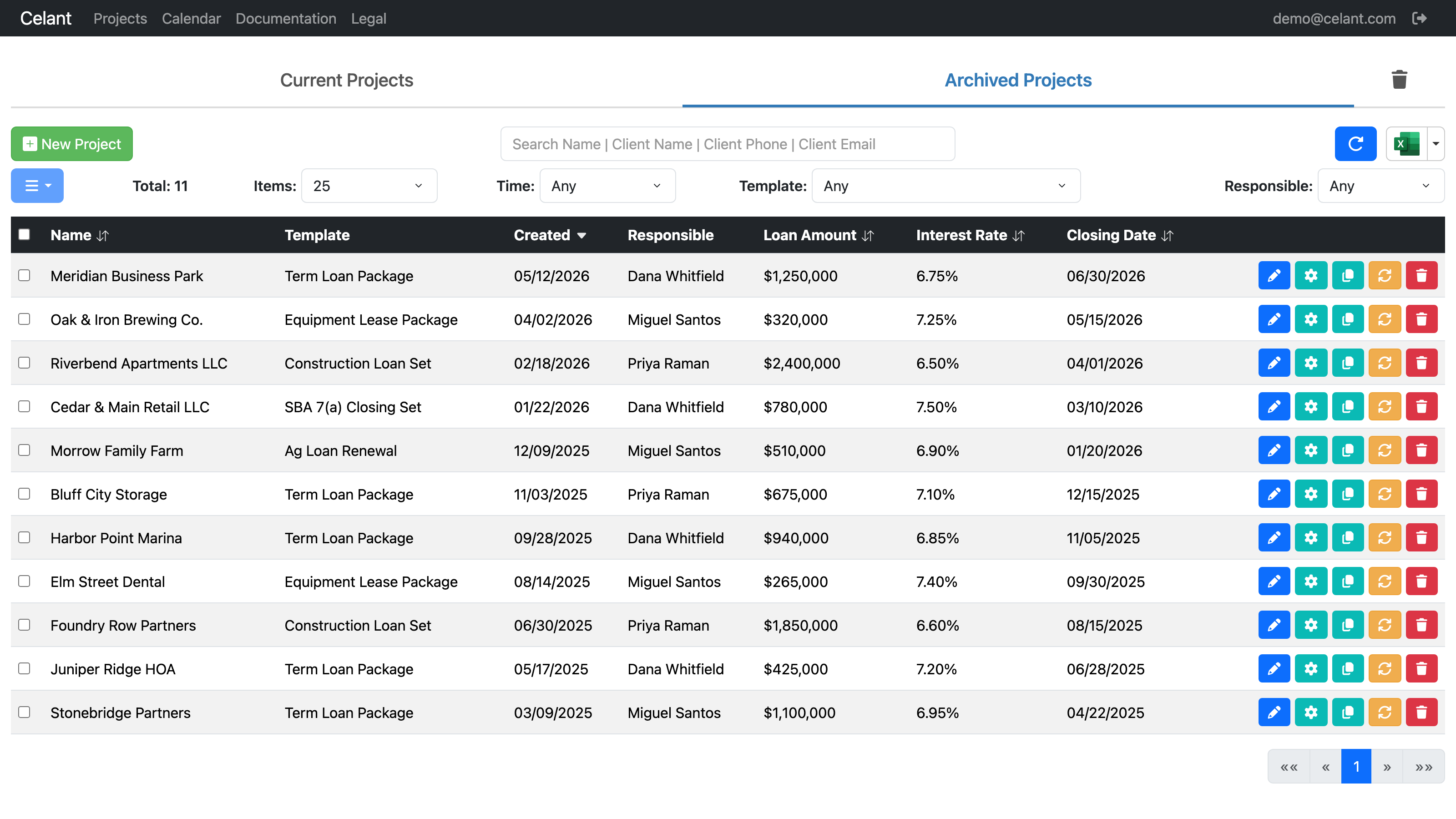
When a deal closes, it moves to the archive — but not as a folder of PDFs. Every material term stays structured and reportable: rates, maturities, collateral, review dates. Pull portfolio reports on demand, and see expirations coming before they lapse. And when you need the physical closing set, order professionally printed, bound binders shipped anywhere.
As deals change status, webhooks push the data out — to Zapier, Zoho, or your CRM. We’re often the glue between your vendors: if a tool has an API, we can connect it. Roles and permissions control who can see and do what inside Celant, including secure access for guests.








Our lawyer-consultants map your closing process — your forms, your funding sources, who signs, who gets notified — and build the workflow around it. When your process changes, send us the update; most revisions turn around within a day or two. It’s custom software at off-the-shelf pricing — and our SOC 2 Type 1 examination means your clients’ data is handled to audited standards.
Send us one form agreement and we'll show you what it looks like automated — backed by our 90-day money-back guarantee.
Book a Demo